
Most faceless YouTube channel ideas come down to one decision: what fills the screen instead of a person. The usual options are screen recordings, narration over maps and licensed footage, hands working over a cutting board, or animated diagrams. This guide sorts those formats by the skill, time and equipment they demand. It also sets out what the YouTube Partner Program requires as of October 2026 and explains why nobody can give you a date for reaching it.
A faceless channel hides your face, not you. As of October 2026, uploading still requires a channel, and creating one asks for a name, a handle and a profile picture (7). Earning from the channel depends on which of two eligibility bars you reach first, and on whether you need fan funding or ad revenue. Each section below covers a different part of that decision.
What Is a Faceless YouTube Channel?
A faceless YouTube channel is one whose creator never appears on camera. It publishes narration over visuals, screen recordings, animation or hands-only demonstrations instead (17). The viewer hears a voice, reads on-screen text or watches a process, but never sees the person making the video.

The format removes one task: filming yourself. It keeps everything else. You still research, write a script, record narration or a screen session, find or make visuals, edit, design a thumbnail and write a title. Avoiding the camera does not remove the main workload. In several formats it adds work, because visuals that would otherwise come free from a talking head now have to be sourced, licensed or built.
A content business, not freelance work
A faceless channel is a content business that can grow beyond the hours put into it. A video published in month two can still be found and watched in month twenty, so the income is not tied to hours sold the way freelance work is. That does not make it hands-off. A channel needs regular uploads, maintenance of older videos and attention to policy changes, and the sales that continue after a launch still depend on that upkeep.
The distinction matters because the term “faceless YouTube” also covers a second, different activity. Editing, scripting or voicing videos for someone else’s faceless channel is freelance work under another name. You sell hours or deliverables, you get paid per video, and your income stops when the client stops ordering. Both are legitimate, but the math is different. This guide covers the first one: building your own channel.
Viability depends on one thing more than any other. Faceless formats remove the camera, but they do not exempt a channel from YouTube’s monetization policies, which as of October 2026 expect content to be original and not mass-produced (6). A channel works when it produces original videos people choose to watch, not when it finds a way to produce many videos cheaply.
Faceless vs. Anonymous: What Still Stays Public
Going faceless keeps you off camera, but it does not make the channel anonymous. As of October 2026, creating a channel requires a Google Account, and the setup asks you to choose a profile picture, a name and a handle (7). All three are public. They do not have to be your legal name or your photo, but they are attached to your account and visible on every video.
If privacy is your main reason for going faceless, check the details a camera-free video can still leak:
- Your voice. Narration is identifiable to people who know you. Some creators use text-on-screen or a synthetic voice for this reason; the disclosure rules for synthetic content are covered further down.
- Screen recordings. Browser tabs, bookmarks, email notifications, file names and desktop folders show up in tutorials. Use a clean user profile on your computer for recording.
- Footage of your space. Hands-only videos can show a kitchen, a window view, a reflection in a pan or a piece of mail on a counter.
- The name and handle. As of October 2026, YouTube says a handle identifies your channel and can be used outside YouTube to promote it, which still makes it a public label worth choosing with care (21).
✓ Pros
- A video library can keep attracting viewers after the production work is done.
- Camera-free production leaves room to choose visuals around the topic.
- Formats can shift between screen capture, narration and animation as skills develop.
✗ Cons
- Each upload still needs research, scripting and post-production.
- There is no dependable schedule for reaching monetization.
- As of October 2026, YouTube's monetization policies treat reused or mass-produced material as a risk to eligibility (6).
Choosing a Niche: Matching Format to Audience Demand
The best topic for a YouTube channel is one you can research and produce useful videos on, again and again, because YouTube Search weighs relevance, engagement and quality, and recommendations reflect what viewers watch and how satisfied they are (12)(15). In practice, the niche question is two questions: can you make video number thirty as well as video number three, and do people search for or keep watching this subject?

Start with production fit. A topic you understand well lets you script faster and catch errors that a newcomer would miss. A topic you have to learn from scratch for every episode is possible, but every video then carries research hours on top of production hours. Ask yourself whether you could list thirty video ideas on the subject tonight without searching. If you could not list ten, the niche will likely run dry before the channel has enough videos to be judged.
Then look at demand. YouTube’s own search bar is the simplest test: type the start of a question in your subject and see what the autocomplete suggests. Look at the videos that appear for those queries. Recent uploads from small channels with solid view counts suggest viewers want more than the big channels provide. A page of results dominated by the same three large channels suggests a harder start.
Beginner-friendly niches tend to share a few traits:
- Repeatable structure. Each video follows a pattern (one software feature, one historical event, one recipe), so you are not reinventing the format each time.
- Visuals you can produce or license. Screen recordings and your own hands cost nothing to license. Archival footage and news clips often need permission.
- Questions people type. Tutorials and explainers answer searches. Pure entertainment depends more on recommendations, which take longer to reach.
- Low risk of rapid obsolescence, or a willingness to update. Software tutorials go stale when the interface changes; history does not.
Third-party niche lists rank finance, tutorials, history and other formats, each in a different order (16)(17). Treat any such ranking as a list of ideas to consider, not as a forecast of what a channel in that niche will earn, and test a focused subject through searchable, accurate titles before building an entire channel around it. A niche with high-value advertisers is no help if you cannot produce thirty good videos in it.
A narrow start usually beats a broad one. “Spreadsheet tutorials for small bookkeeping tasks” gives viewers a reason to subscribe; “technology” does not. You can widen the scope once you know which videos hold attention.
Faceless YouTube Channel Ideas: Niches and Formats That Work
The faceless video formats that recur across niche guides are screen recordings, voiceover with stock footage, text-on-screen, hands-only demonstrations, map animation and explainer graphics (17). The formats below group those into five families, each with its skill, time and equipment demands, so you can match YouTube channel ideas without showing your face to what you can produce every week.
Screen Recordings and Software Tutorials
Screen-recorded software tutorials are among the lowest-setup faceless formats, along with language-learning clips and text-and-image explainers (17)(18). The video is what happens on your monitor, narrated as you go: how to build a formula, configure a setting, edit a photo, or fix an error message.
- Skill: you need to know the software well enough to teach it in clear steps, and to speak while clicking without losing the thread.
- Time: a short tutorial can be scripted, recorded and edited in an evening once you have a routine. Retakes for fumbled clicks are the main time cost.
- Equipment: a computer, screen-recording software and a decent microphone. Audio quality matters more than video here, because viewers listen closely to instructions.
These videos avoid filming a presenter, but they still need clear instruction and original scripting (17)(18). A tutorial that wanders, skips steps or narrates “and then I click here” without explaining why tends to lose viewers early.
- Who it fits: people with working knowledge of a tool others struggle with, at their job or in a hobby.
- Who it does not fit: anyone who dislikes keeping content current, since interface updates make older tutorials wrong.
- What to try instead: text-and-image explainers on stable concepts (how a mortgage amortizes, how a file system works) that age more slowly.
History, True Crime, and Documentary Narration
Research-led narration, covering history, mythology, business case studies or true crime, uses voiceover over maps and licensed visuals (17). It is the format most associated with faceless channels, and the one that demands the most editorial work.
- Skill: research, source evaluation, long-form scriptwriting and a narration voice that holds attention for ten minutes or more.
- Time: heavy. Several of these niches, true crime among them, call for careful sourcing (17). A single script can take days of reading before writing starts, and assembling visuals often takes as long as the writing.
- Equipment: a good microphone, a quiet room, editing software, and access to visuals you have the right to use (public-domain archives, your own map animations, licensed stock).
True crime adds a layer of care. Real victims and families exist, accuracy matters for legal and ethical reasons, and sensational framing can draw complaints. Business case studies and mythology carry less of that weight.
- Who it fits: readers and writers who enjoy research for its own sake and can turn sources into a story with a clear arc.
- Who it does not fit: anyone with a few evenings a month, since the production cycle is long and the format rewards depth.
- What to try instead: shorter explainers on a single historical event, map, or concept, which keep the research load per video manageable.
Hands-Only Cooking and Craft Demonstrations
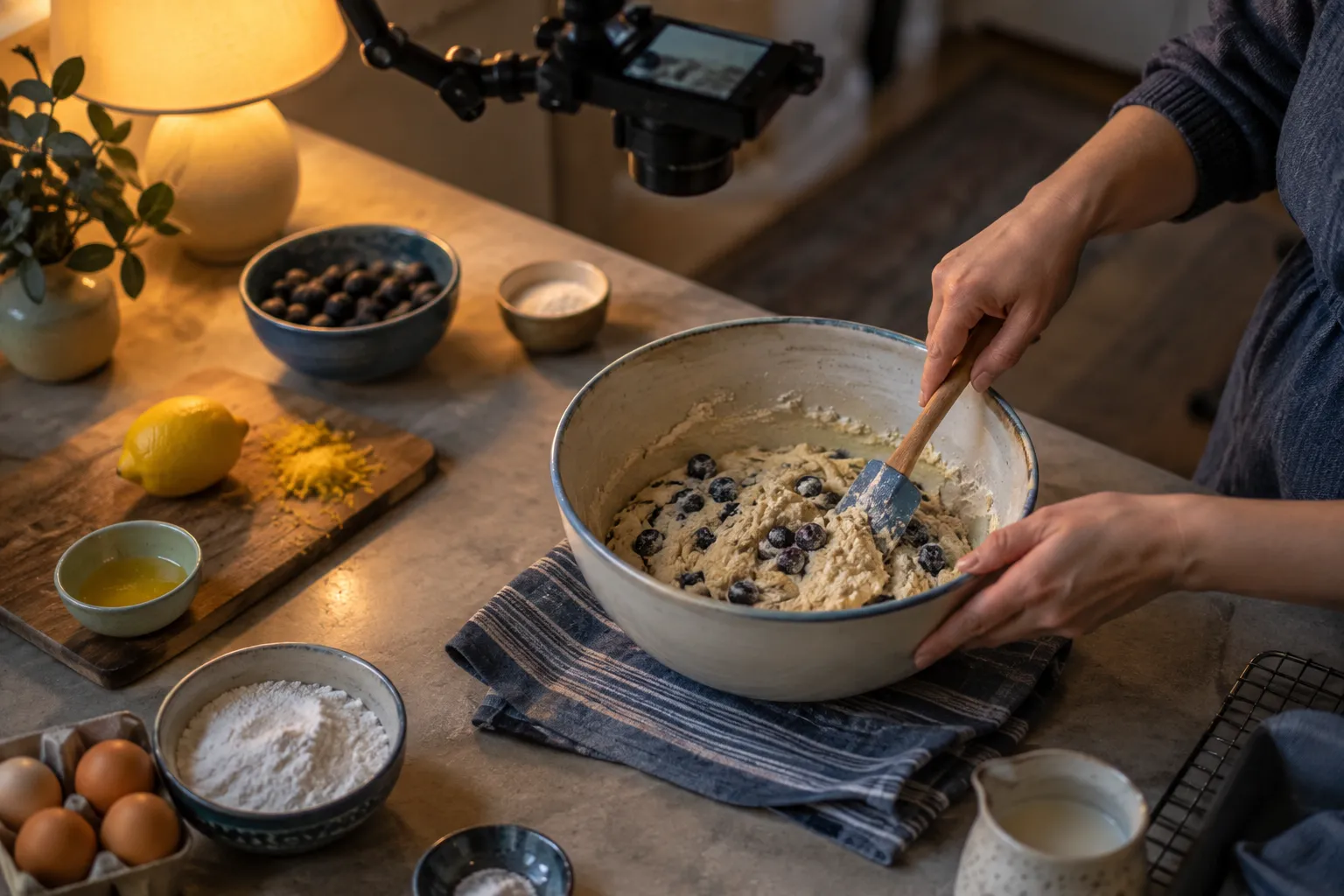
Hands-only formats, such as cooking demonstrations and product or craft processes, show the work rather than the creator’s face, with overhead shots providing the visual structure (17). Viewers watch dough being folded, a cabinet being sanded or a miniature being painted.
- Skill: competence at the craft itself, plus framing and lighting a work surface. Narration is optional; many hands-only videos use on-screen text or ambient sound.
- Time: filming takes as long as the task, plus setup and multiple angles. Editing a long process into a watchable video is the main post-production job.
- Equipment: a camera or phone, an overhead mount, steady lighting, and a clean work surface. This is the one family where camera equipment returns, pointed at the work instead of you.
Materials are a recurring cost here. Ingredients, wood, paint or yarn get used up for every video, which the other formats avoid.
- Who it fits: people who already cook, build or craft regularly and can film what they would make anyway.
- Who it does not fit: anyone without a dedicated space to leave a camera rig set up, since rebuilding the setup each time eats into production hours.
- What to try instead: screen-based tutorials for a craft’s digital side (pattern design software, recipe costing spreadsheets), which need no materials.
Listicles, Compilations, and Explainer Animation
Listicles, compilations and animated explainers rely on text-on-screen, voiceover with stock footage and explainer graphics (17). A “seven tools for X” video, an animated breakdown of how a process works, or a ranked list with narration all fit here.
- Skill: for listicles, scripting and judgment about what belongs on the list. For animation, motion graphics or at least slide-based animation skills.
- Time: listicles are fast to produce once you have a template. Animation is slow, often the slowest format per minute of finished video.
- Equipment: editing software, a stock footage or image source you have rights to, and for animation, a design or motion tool.
Compilations deserve a direct warning. As of October 2026, stitching together other people’s clips with little added is the pattern YouTube’s reused-content policy targets: material reused without significant original commentary, substantive modifications, or educational or entertainment value (6). A compilation channel built on clips you do not own faces both copyright claims and monetization refusal.
- Who it fits: listicles suit fast writers with opinions grounded in knowledge; animation suits people who already design or illustrate.
- Who it does not fit: anyone planning to build a channel from clips found elsewhere with light narration on top.
- What to try instead: explainer animation using diagrams you make yourself, so every visual is original.
Niche and Regional Angles: Kids, Comedy, and Non-English Audiences
Faceless formats also work for specific audiences: children, comedy viewers, and speakers of languages other than English. Each changes the production math in a different way.
Kids content. Animated songs, story narration and educational shorts can all be made without a presenter. As of October 2026, YouTube judges the monetization of made-for-kids content against separate quality principles for kids and family content (6); read its made-for-kids guidance before building a channel around it. As of October 2026, channel memberships and Shopping require that the channel is not set as made for kids (22).
Comedy. Animated sketches, text-message stories, voiced characters and parody narration can work faceless, but comedy without a face leans entirely on writing and voice timing. It is a hard format to judge on your own; a joke that works in a script often falls flat when read aloud.
Non-English audiences. Every format above can be produced in another language. If you are fluent in a language with fewer tutorial or explainer creators in your subject, the search results may be less crowded than their English equivalents. Narrate in a language you speak natively: viewers notice awkward phrasing within a sentence or two, and machine-translated scripts read aloud tend to sound like it.
- Who it fits: native speakers of an underserved language; writers with a strong comic voice; people with animation or storytelling skills aimed at a young audience.
- Who it does not fit: anyone choosing a language or audience only because it looks less competitive, without knowing it from the inside.
- What to try instead: the same format in your strongest language, with a narrower topic to reduce competition.
Faceless YouTube Automation: What AI Can (and Can’t) Do
Faceless YouTube automation, meaning AI tools and templated workflows that produce videos with little hands-on work, can speed production, but as of October 2026 YouTube’s monetization policy excludes mass-produced, generic and repetitive content, and it treats reused content as a separate policy (6).

The word “automation” is sold in two ways online. One is a reasonable idea: use software to handle repetitive steps such as transcription, caption timing, rough cuts and thumbnail variants. The other is a promise of fast money: a channel that produces itself while you do something else. The first is a workflow choice. The second runs straight into the policy above.
Where AI helps
AI may assist storytelling: as of October 2026, YouTube’s monetization policies allow content that uses AI tools to help deliver an original narrative, such as editing scripts (6)(9). Practical uses include:
- Research support: summarizing long documents so you know which sources to read in full. The reading still has to happen; summaries miss nuance and sometimes invent details.
- Script drafting: outlining a structure or tightening a draft you wrote. A script generated whole from a prompt tends to sound like every other script generated from the same prompt.
- Editing assistance: automatic captions, silence removal, transcript-based cutting and audio cleanup.
- Visual drafts: concept images for thumbnails or illustrations, which you then refine.
Where automation fails
The policy line is about substance, not tools. As of October 2026, repeating a template at scale without meaningful original insight risks YouTube’s generic or repetitive content policy; repurposing clips without substantial commentary or modification risks the reused-content policy (6). A channel can lean on AI and a standardized workflow without being penalized, but the originality has to live in the research and commentary, not only in the visuals (6)(17).
For a repeatable series, standardize the research checklist, the script structure and the visual style, not the substance (6)(17). Ten videos that share an intro sequence, a color palette and a five-part structure are a series. Ten videos where an AI tool rewrote the same encyclopedia entry with different nouns are the mass-produced pattern the policy names.
Disclosure of altered or synthetic content
As of October 2026, YouTube asks creators to disclose meaningfully altered or synthetic content when it appears realistic, and the upload flow provides an “AI use” setting in its Attributes section for this (9). Under the same guidance, unrealistic or minor edits do not require disclosure (9). A cartoon-style animation or color correction is not the issue. A realistic synthetic depiction of a real event, place or person is where disclosure applies. If your workflow uses AI-generated realistic footage or voices, read YouTube’s guidance on disclosing GenAI content and check that setting before every upload.
Hiring out every step also changes what kind of side hustle this is. If you pay freelancers for scripts, voiceover and editing, you become a client buying hours, with upfront cost per video and no guaranteed return.
- Who it fits: creators who already understand their subject and use AI to remove grunt work from a process they control.
- Who it does not fit: anyone hoping software will supply the knowledge, judgment or voice the channel lacks.
- What to try instead: a slower publishing schedule of fully original videos, with automation limited to captions and editing chores.
YouTube Partner Program Rules for Faceless Channels
As of October 2026, the YouTube Partner Program (YPP) has two eligibility bars: an expanded tier at 500 subscribers that unlocks fan-funding and shopping features, and a higher tier at 1,000 subscribers that unlocks ad revenue (1)(4). Faceless channels follow the same rules as every other channel. Which bar you aim for depends on how you plan to earn, and which route you take to it depends on whether you publish long-form videos or Shorts.

Current eligibility details are listed on YouTube’s “Choose how you want to monetize” page in the Help Center, which is the place to check before setting any plan around these numbers. The table below lines up both tiers side by side.
Fan Funding and Shopping vs. Ad Revenue
The lower tier fits channels with an engaged audience that wants to support the creator or buy something related to the content. A hands-only craft channel whose viewers ask where to buy the tools, or a history channel with dedicated followers, may find the expanded tier useful before ads are in reach. The specific features available at each tier, and their availability by country, are listed on YouTube’s official Partner Program pages (1).
YPP is also not the only way a faceless channel earns. Sponsorships, affiliate links in descriptions, and your own digital products (templates, guides, courses tied to the channel’s subject) are separate routes, each with its own rules and its own disclosure obligations; YouTube’s rules for disclosing paid promotions are on its branded content help page. Spreading income across several of these reduces dependence on a single platform decision.
Why Shorts Views Don’t Count Toward Long-Form Watch Hours
As of October 2026, Shorts-feed watch time does not count toward the long-form watch-hour threshold (3). A channel that grows mainly on Shorts cannot add Shorts viewing to its long-form total to reach 4,000 qualified watch hours in 365 days (1).
A faceless channel built mainly on Shorts should plan around the route of 10 million qualified Shorts views in 90 days (as of October 2026), rather than expecting Shorts views to also feed the long-form ad-eligibility path (1)(3). The two routes are separate tracks. Shorts can still bring subscribers who later watch long-form videos, and those long-form hours do count, but the Shorts views themselves stay on their own track.
This shapes format choice. Screen tutorials, documentary narration and hands-only demonstrations lean toward long-form, where watch hours accumulate per viewer. Quick listicles, facts and clips from a longer video lean toward Shorts. Pick the track your format suits, and do not assume progress on one shows up on the other.
The February 2027 Threshold Change
As of October 2026, a YouTube policy update says that beginning February 1, 2027, new creators will need 8,000 qualified watch hours in 365 days or 20 million qualified Shorts views in 90 days, in addition to 1,000 subscribers, for YPP entry at the ads and Premium level (2). Fan funding and Shopping keep their 500-subscriber thresholds under that update (2).
YouTube Partner Program eligibility tiers
| Expanded YPP tier | Ad-revenue tier | |
|---|---|---|
| Subscribers | 500 (as of October 2026) (1)(4) | 1,000 (as of October 2026) (1)(3)(4) |
| Public uploads | 3 in 90 days (as of October 2026) (1)(4) | Not among this tier's thresholds (as of October 2026) (1)(3) |
| Watch-hour route | 3,000 qualified hours in 365 days (as of October 2026) (1)(4) | 4,000 qualified hours in 365 days (as of October 2026) (1)(3)(20) |
| Shorts-view route | 3 million qualified views in 90 days (as of October 2026) (1)(4) | 10 million qualified Shorts views in 90 days (as of October 2026) (1)(3)(20) |
| Features unlocked | Specified fan-funding and shopping features; not ad revenue (as of October 2026) (1)(4) | Ads on the watch page and in the Shorts feed (as of October 2026) (1)(3)(4) |
Tools and Workflow for Producing Faceless Videos
A faceless video moves from research and scripting to narration or screen capture, visuals, editing, thumbnail and title, then upload. The tools matter less than matching the production method to the niche: screen capture for tutorials, diagrams for explainers, or narration with sourced visuals for documentary storytelling (17).
This section describes tool categories rather than recommending specific products. Plans and prices change often, and the right choice depends on your computer, budget and format. For any tool you consider, read its official pricing page and check what the free plan excludes before building your workflow around it.
The Core Production Pipeline
Research and scripting. A document for notes and sources, and a separate document for the script. Keep a source list for every video; it protects you when a viewer questions a fact and makes corrections easy. Scripts for faceless videos run longer than outlines for on-camera videos, because there is no face to carry pauses or improvisation.
Narration or screen capture. For voiceover, a USB or XLR microphone in a quiet room with soft surfaces. A closet full of clothes is a common improvised booth. For tutorials, screen-recording software that captures system audio and your microphone on separate tracks, so you can fix one without re-recording the other. If you use a synthetic voice, read YouTube’s guidance on disclosing GenAI content first (9).
Visuals. Depending on format: your own screen recordings, overhead camera footage, diagrams and maps you build, public-domain archives, or licensed stock footage. Every visual you did not create needs a rights answer, covered below.
Editing. Any editor that handles multiple audio and video tracks, captions and basic color correction. Transcript-based editors, where you cut video by deleting text, save time on narration-heavy formats.
Thumbnail and title. An image editor with text layers. The packaging step is covered in the next section; build it into the workflow rather than treating it as an afterthought at upload time.
Upload. YouTube Studio handles the upload, description, tags and captions; as of October 2026, its upload flow also carries the “AI use” disclosure setting (9).
Clearing Rights for Footage and Music
Rights-clear every element of every video. YouTube says creators generally need permission to use protected material (10). The research to answer “do I have the right to use this?” belongs in the script stage, not at upload.
As of October 2026, two music routes are lower risk:
- The YouTube Audio Library offers music and sound effects that YouTube identifies as copyright-safe (8). It is the lower-friction option when you need background music.
- Creative Commons tracks in the Audio Library remain usable, but they require attribution, and you keep that attribution in the video description (8). Copy the exact credit text the library provides.
For footage and images, use material you made, material in the public domain, or material under a license whose terms you have read and saved. Stock libraries differ in what their licenses allow; keep a copy of the license for each asset in your project folder.
Fair use is not a safe default. YouTube cannot obtain rights on a creator’s behalf (10), and the platform’s fair-use guidance describes a legal judgment made case by case, not a rule that commentary automatically protects a clip (11). A channel built on copyrighted clips plus narration assumes a legal position it may not be able to defend.
How to produce a faceless YouTube video
Follow the production stages from research through upload, including rights and disclosure checks.
- 1
Research and script
Gather sources, write the script, and list the visuals and music cues the video needs.
- 2
Record narration or screen capture
Record in a quiet room, using separate audio tracks where possible.
- 3
Build visuals and edit
Assemble rights-cleared footage, diagrams or overhead shots, cut to the narration, and add captions.
- 4
Create the thumbnail and title
Make both accurate to what the video delivers.
- 5
Upload and check disclosure
Complete the description, include any required Creative Commons attribution, and check whether the "AI use" disclosure setting applies before publishing, as of October 2026 (8)(9).
Getting Found: Video Search Optimization for Faceless Content
YouTube Search ranks videos on relevance, engagement and quality, and the title, description and video content all contribute to relevance (14). A faceless video has no recognizable presenter to draw clicks, so the match between what the viewer typed and what the video delivers carries more of the load.
Match the query, then deliver on it
Build titles around the viewer’s actual query and make the video keep that promise (12)(14). If people search “how to split first and last names in a spreadsheet”, that phrase or something close belongs in the title, and the video should solve that problem early. A clever title that does not resemble any search phrase leaves the video to rely on recommendations alone.
The description supports the title. Write two or three sentences that restate what the video covers in plain language, using the words a viewer would search, then add chapters if the video is long. Descriptions stuffed with repeated keywords do not help a viewer decide to watch.
Accurate packaging
Misleading titles or thumbnails can hurt discovery if viewers stop watching; YouTube advises packaging that reflects the video (13). A thumbnail showing a dramatic scene the video never covers may win a click and then lose the viewer within seconds. That early exit is a signal against the video.
For faceless channels, thumbnails usually rely on a strong single image, a short text label of three or four words, and a consistent visual style across the channel so returning viewers recognize it. Test whether the text is readable at the size of a phone thumbnail.
Common Mistakes and Realistic Timelines
There is no official timeline for reaching YouTube’s monetization thresholds: YPP thresholds are eligibility benchmarks, not a promised schedule (3). Any claim that a faceless channel reaches monetization within a fixed number of months describes someone else’s channel, niche and luck, not yours.
Real side income from a channel takes months, and usually several attempts. Many channels that eventually work started with a format or niche the creator later abandoned. Plan for the first batch of videos to teach you what your audience watches, rather than to earn anything. Keep the day job while the channel grows, and set aside regular hours for it, the same evenings or weekend blocks each week, so progress does not depend on bursts of motivation.
One mistake comes up repeatedly with faceless channels.
Switching niches every few weeks. A channel needs enough videos in one subject for viewers and recommendations to understand what it offers. Changing topics after a handful of uploads resets that process. Give a niche a fixed batch of videos before judging it, and change one variable at a time: format, topic angle, or video length.
Is a Faceless Channel the Right Side Hustle for You?
A faceless YouTube channel fits people who like researching, writing and editing, not people whose only reason is camera shyness. The format moves the effort from on-camera presence to production work and policy awareness, and that trade suits some people far better than others.
Who it fits:
- People who enjoy the research and editing stages, and would do them even if a face were involved.
- Those with deep knowledge of a software tool, craft, historical period or subject others search for.
- Creators who want a content business that can grow beyond hours sold, and can wait months for any sign of traction.
- Anyone with real privacy reasons who accepts that the name, handle and profile picture stay public (7).
Who it does not fit:
- People who want a personality-driven brand. Viewers attach to faces quickly, and faceless channels build that attachment more slowly, through voice, writing and consistency.
- Anyone who needs fast feedback or income in the next few months. There is no official timeline to monetization.
- Those hoping AI or outsourcing will replace their own knowledge. As of October 2026, YouTube’s generic or repetitive content and reused content policies target that pattern (6).
- People without regular weekly hours to give it; the format punishes long gaps.
What to try instead:
- An on-camera vlog, if the hesitation is mostly nerves. A face builds trust faster, and partial formats exist: voice with occasional on-camera moments, or a webcam corner in tutorials.
- A productized service, meaning a fixed-scope service sold at a fixed price (for example, “five video scripts on a topic you pick” or “edit four tutorials per month”). It is freelance work under another name: income tied to hours, but it arrives sooner and teaches you the production skills a faceless channel needs.
- A niche blog or newsletter in the same subject, if writing is your strength and video editing is not. The research and topic-selection skills carry over.
Frequently Asked Questions
- Can you make money with a faceless YouTube channel?
- Yes, a faceless channel can earn through YouTube features or other income streams, but reaching monetization is not guaranteed or tied to a reliable timeline. As of October 2026, fan-funding and shopping features open at 500 subscribers and ad revenue at 1,000 subscribers, each with its own watch-hour or Shorts-view route (1)(4).
- What is the 30-second rule on YouTube?
- The "30-second rule" is creator shorthand, not a YouTube policy; it describes the idea that the opening can affect whether viewers stay. Search and recommendations weigh engagement and viewer satisfaction (14)(15).
- Which faceless YouTube niche pays the most?
- No niche ranking can predict what an individual channel will earn. Third-party lists rank finance, tutorials, history and other topics differently (16)(17), so choose a subject you can produce well over time.
- Is it possible to vlog without showing your face?
- Yes, a faceless vlog can use point-of-view footage, hands-only shots or scenery with voiceover. Narration carries more of the personality, so check each shot for privacy-revealing background details.
- Do you need a microphone for a faceless channel?
- A microphone is useful for narration-heavy formats, where viewers rely on the audio to follow the video. Hands-only and text-on-screen videos can instead use ambient sound or no voice.
- Can you use AI voices on a faceless YouTube channel?
- As of October 2026, YouTube's monetization policies allow content made with AI assistance when it delivers an original narrative (6). Realistic altered or synthetic content may need disclosure through the "AI use" setting at upload, while unrealistic or minor edits do not (9). Read YouTube's GenAI disclosure guidance before relying on a synthetic voice (9), and keep the script and research original either way (6).
Before You Upload the First Video
A practical first step: list thirty video ideas in one narrow subject, script three, and produce them with the pipeline above before investing in equipment beyond a microphone. Check YouTube’s official Partner Program page for current thresholds when you set goals, and again before February 1, 2027. Choose your niche on production fit and what viewers search for, not on rankings that promise what a niche pays.